Basketball practice plans, ready in a minute
Tell Ask Takoro how long you have and who's coming. It builds a basketball practice from the coaching library that adds up to your time, and adds it to your team's next practice in one tap.
Free forever for your first team · No credit card
A good basketball practice, without the planning
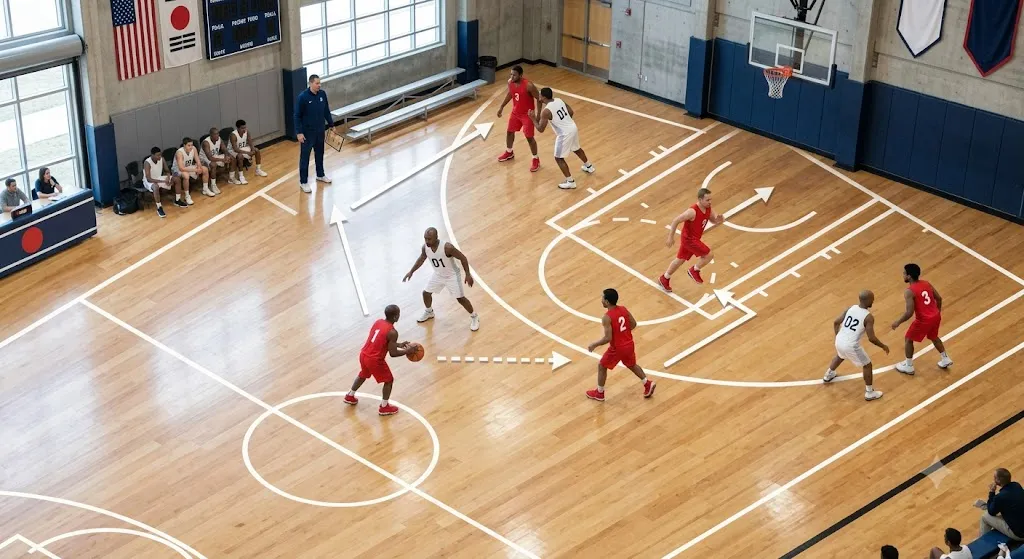
Beginner basketball is about getting comfortable with the ball and finishing close to the hoop. Short, busy activities beat long lines, and every practice should end with players actually playing.
The example below shows the shape of a beginner practice. In the app, the activities come from Takoro’s basketball coaching library, with set-up, coaching points and easier or harder versions for each one.
Example: a 60-minute basketball practice for beginners
| Part | Activity | Min | Focus |
|---|---|---|---|
| Warm-up | Dribble tag: keep your ball while tagging others | 10 | Head-up dribbling |
| Skills | Stationary and moving ball handling, both hands | 10 | Ball control |
| Skills | Layup lines from both sides, right-left footwork | 10 | Finishing |
| Skills | Pass and cut in threes | 10 | Passing and moving |
| Game | 3v3 half-court game, three passes before a shot | 15 | Team play |
| Wrap-up | Free-throw challenge, stretch and recap | 5 | Recap |
60 minutes in total. An example of the shape only; Ask Takoro picks real activities from the library for your team.
Example: a 45-minute practice for year 7–8 and up
| Part | Activity | Min | Focus |
|---|---|---|---|
| Warm-up | Full-court dribble series and dynamic stretches | 5 | Speed with the ball |
| Skills | Closeouts and help defence shell drill | 10 | Team defence |
| Skills | Pick and roll reads, two on two | 10 | Attacking options |
| Game | 5v5 with a point for a defensive stop | 15 | Applying it in a game |
| Wrap-up | Cool-down and team talk | 5 | Recap |
45 minutes in total.
Things basketball coaches ask
“Plan a 60-minute basketball practice for beginners”
Ask Takoro replies with one practice plan and an Add to practice button.
“Build a practice focused on layups and finishing”
Ask Takoro replies with one practice plan and an Add to practice button.
“What should we work on at practice this week?”
Ask Takoro replies with one practice plan and an Add to practice button.
From question to practice in four steps
Ask
Say how long the practice is, the level and any focus. Ask Takoro already knows your team, age group and squad size.
Check the plan
You get one plan that adds up to your time, with what each activity is for.
Add it to practice
Tap Add to practice. If nothing is booked yet, Ask Takoro asks when and creates it.
Run it
The practice shows on your Tasks in the web and mobile app, with every activity ready to open at the ground.
Common questions
Can the plan use our match stats?
If you track games in Takoro, ask what to work on and Ask Takoro can point at what your last game showed, then build the session around it.
Does it work for a half court?
Tell it what you have ("we only have half a court") and adjust any full-court activity when you run it; the plan is a starting point you can edit.
Where do the basketball activities come from?
From Takoro’s basketball coaching library, matched to your team’s age group. The examples on this page show the shape of a plan; the app fills it with real activities.
Can I change the plan?
Yes. Once it’s added, open the practice to swap, reorder or retime any activity.
Is it free?
You can try Ask Takoro on a free account. See pricing for what each plan includes.
Plan your next basketball practice in a minute
Ask Takoro builds it from the coaching library and adds it to your team’s next practice.
Try it freeFree forever for your first team · No credit card